








LINE Business helps you talk to customers right where they already chat every day — on the LINE app. If you run a shop, cafe, or any business, this tool turns LINE into your own customer hotline. No need for fancy emails or social posts that get ignored. You send messages, coupons, and updates straight to people who follow your account.
Millions of businesses in Japan, Thailand, Taiwan, and beyond use it because LINE has huge reach. In Japan alone, nearly 100 million people open LINE each month. That means you can reach real customers fast and cheap. This guide shows you everything — from free setup to pro tricks — so you get more sales and happy buyers. We keep it simple and clear, just like explaining to a friend.
What Is LINE Business?
LINE Business is the official way for companies to use the LINE app for work. It has two main parts:
- LINE Official Account: Your business profile on LINE. Customers add you as a friend and get updates, chats, and deals.
- LINE Official Account Manager: The dashboard where you control everything — messages, chats, stats, and more.
- Business Manager: The extra tool to handle multiple accounts, share customer lists, and run smarter ads.
It feels like texting friends, but it is built for shops and brands. You can send text, pictures, videos, stickers, or coupons. Over 3 million businesses in Japan already have an Official Account. It works great for small stores or big companies.
Why LINE Business Helps Your Business Grow?
People check LINE many times a day. They trust messages from accounts they follow. Here is why it beats old-school marketing:
- Reach lots of people at once with one tap.
- Chat one-on-one like a real person.
- Send coupons that customers actually use.
- See who opens your messages and what they click.
- Build loyalty — customers feel close to your brand.
Best part? You start free and only pay when you send more messages. No wasted money on ads that nobody sees.
How to Create Your First LINE Official Account (Step by Step)?
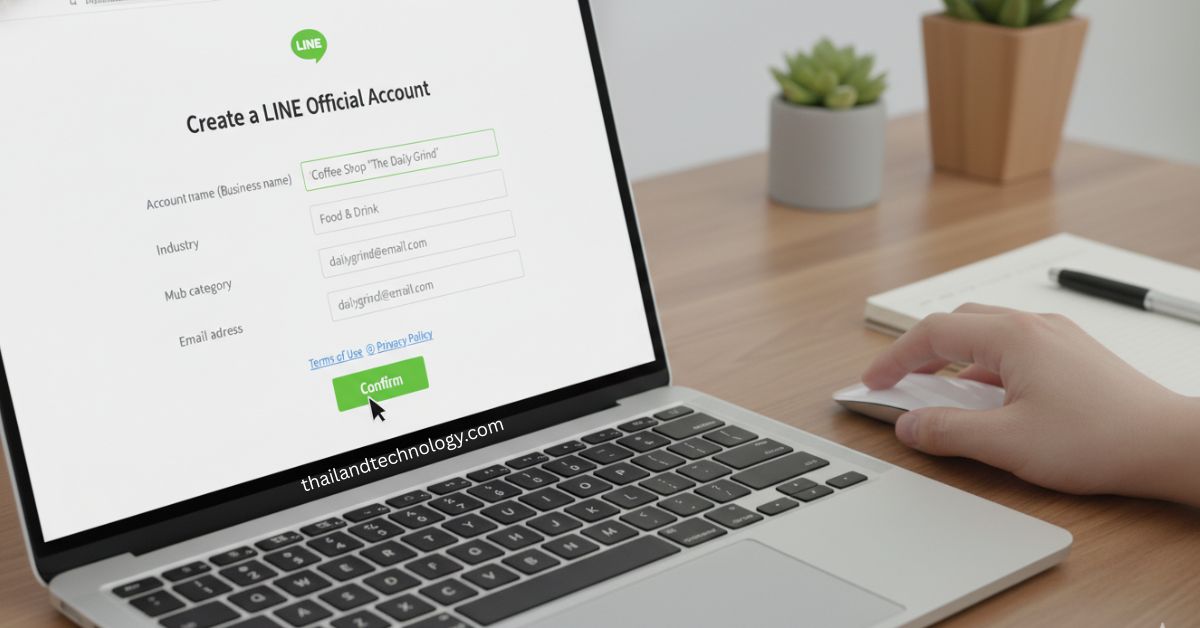
You can do this in under 10 minutes. Follow these easy steps:
- Go to the LINE for Business site and click “Create a LINE Official Account for free.”
- Log in with your LINE app or make a Business ID.
- Fill in your business name, category, and email.
- Pick a Basic ID (free, looks like @abc1234x) or buy a Premium ID for a custom name.
- Add a profile picture and short welcome message.
- Turn on your account and start adding friends.
Once it is live, customers can find you by searching your ID or scanning a QR code. You get a free plan right away with 500 messages per month.
Exploring the LINE Official Account Manager
The manager is your control center at manager.line.biz. Log in and you see:
- All your chats in one place.
- Tools to label customers (like “new buyer” or “VIP”).
- Ready-made replies for when you are busy.
- Stats on message opens and clicks.
You can add team members so your staff helps answer chats. It feels like a simple inbox but with business power.
Read: LINE OA Guide 2026: Set Up Your Free Official Account & Grow Fast
Key Features You Will Use Every Day
Here are the top tools that make LINE Business useful:
- Greeting Message: Say hello the second someone follows you. Add up to 5 bubbles with text, images, or coupons.
- Broadcast Messages: Send one message to all your followers. Great for sales or news.
- Rich Messages: Fancy cards with buttons, pictures, or links to your shop.
- Chat Tags and Notes: Sort customers fast. Tag someone “interested in shoes” so you remember.
- Auto Reply: Answer common questions even at night.
- Timeline Posts: Share stories or deals that look like social media inside LINE.
- Coupons and Surveys: Give discounts or ask quick questions to learn what customers want.
These features help you sell more without extra apps.
LINE Business Manager: Level Up Your Marketing
When you grow, use Business Manager. It connects your Official Account with LINE Ads and other tools. You can:
- Share customer lists across accounts.
- Build smart groups (audiences) based on who clicked what.
- Manage many accounts from one place.
- Use tags that work everywhere.
It saves time and makes your ads hit the right people. Big brands love it for cross-team work.
Pricing Plans Made Simple
LINE Business is fair — you pay only for what you send. Here is the clear breakdown (prices in USD, may change by country):
| Plan | Monthly Fee | Free Messages per Month | Extra Message Cost |
|---|---|---|---|
| Free (Communication) | $0 | Up to 500 | None (stops at limit) |
| Light | $50 | Up to 10,000 | None (stops at limit) |
| Standard | $150 | Up to 40,000 | $0.05 each |
Start with Free. When you need more messages, upgrade. Light and Standard plans are not in every country, so check your area. Premium ID costs $12 per year extra for a nicer name.
Pro Tips to Make LINE Business Work Harder
Want better results? Try these simple ideas:
- Send messages at good times — evenings or weekends when people relax.
- Keep texts short and friendly. Add emojis or stickers.
- Use tags to send special offers only to interested customers.
- Reply fast — people expect answers in minutes.
- Test different messages and check your stats to see what works.
- Combine with your website: put your LINE QR code everywhere.
Do this and you will see more follows, chats, and sales.
Common Problems and Easy Fixes
New users hit these bumps. Here is how to fix them quick:
- Not enough followers? Share your QR code on receipts, signs, and social posts. Offer a welcome coupon.
- Messages not opening? Write better headlines and add pictures.
- Team chaos? Set clear tags and notes so everyone knows what to do.
- Hit message limit? Upgrade plan or send fewer but better messages.
- Can’t add team? Check your admin settings in the manager.
Most problems go away with small changes.
Real Ways Businesses Win with LINE
Small cafes use greeting coupons and get 20% more visits. Online shops send order updates and cut support calls in half. Big brands run polls and learn what products to launch next. One clothing store tagged “summer buyers” and sent a flash sale — sales jumped fast.
You do not need a huge team. Start small, test, and grow.
What’s Next for LINE Business in 2026?
LINE keeps adding tools. Expect easier CRM links, better AI replies, and stronger data sharing in Business Manager. More countries may get new plans. The app grows, so your reach grows too. Stay updated in the manager dashboard and try new features early.
FAQs About LINE Business
Is LINE Business really free to start? Yes. You get a free account and 500 messages each month. No credit card needed.
Can I chat with customers one-on-one? Yes. The manager shows all chats. You or your team can reply like normal texts.
How many customers can I reach? LINE has over 90 million monthly users in Japan plus millions more in Asia. Your limit is only your message plan.
Do I need special skills? No. It is made for regular business owners. The manager is easy like email.
Can I use it with my website or shop system? Yes. Many tools connect through the Messaging API for auto orders or updates.
What if I have multiple stores? Business Manager lets you handle all from one login and share customer info safely.
Is it safe for customer data? LINE follows strict rules. You control who sees what inside your team.
How do I get more followers fast? Add your LINE ID to flyers, your website, and Google Maps. Give a small gift for adding you.
Can I send pictures and videos? Yes. Plus stickers, coupons, and rich cards that look nice on phones.
What if I am not in Japan? It works in many countries. Check the LINE for Business site for your region.
Conclusion
LINE Business is a simple yet powerful tool to grow your business in 2026, helping you connect with customers directly through messages, offers, and real-time chats. With a free Official Account and easy-to-use manager tools, you can build strong relationships, increase engagement, and boost sales without needing advanced skills or a big budget. Start today, stay consistent, and use smart features like tags, coupons, and quick replies to turn everyday conversations into loyal customers and steady business growth.